FDU ID Card
Your Fairleigh 1Card is your official university ID and an essential part of campus life. It grants you access to your meal plan, residence hall, library materials, recreation facilities, athletic events, and many other student resources.
1. Claim Your University NetID
Before requesting your Fairleigh 1Card, you must claim your Fairleigh Dickinson University NetID. With an FDU NetID, you can access key IT resources, including Microsoft 365.
To claim your NetID, follow the guide that applies to you:
Once you have your NetID check the mail inbox for the following
2. Look for an email from Transact Mobile
In that email is a unique URL to click and start the process for you.
Click that link to start the process
3. Upload Your Photo
Your 1Card photo should meet professional ID standards (like a driver’s license or passport). Subtle smiles are allowed.
- Press “Submit Your Photo” Button
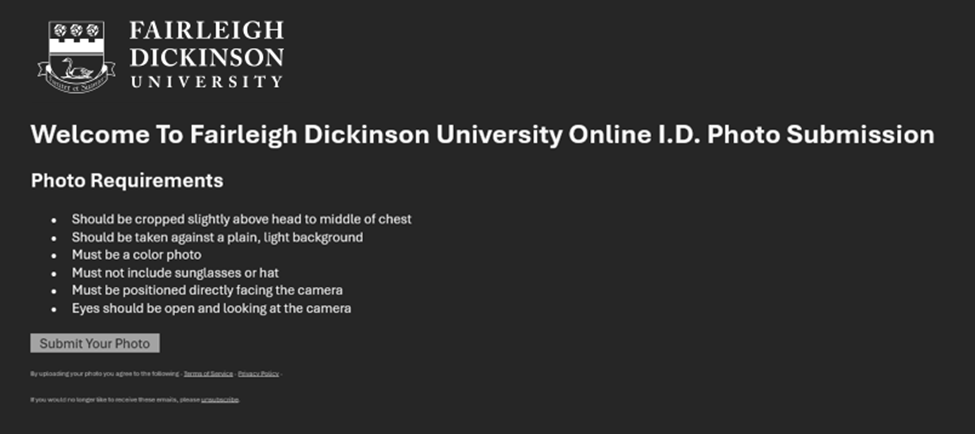
Example Email - Take your photo and follow these guidelines on how to properly capture your photo
- Should be cropped slightly above head to middle of chest
- Should be taken against a plain, light background
- Must be a high quality color photo
- Must not include sunglasses or hat
- Must be positioned directly facing the camera
- Eyes should be open and looking at the camera
- Once you captured your photo, upload it by pressing the grey box with the cloud icon.
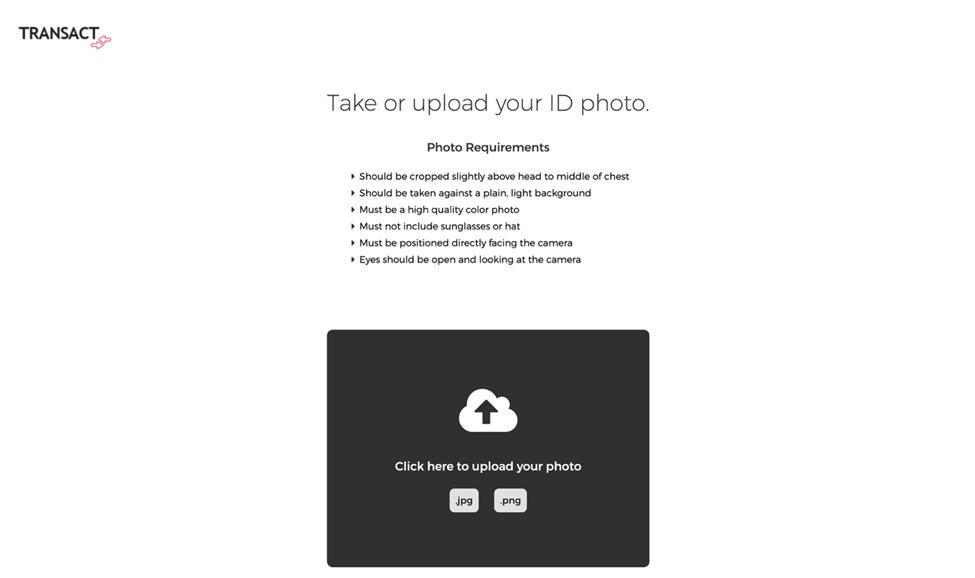
- Once uploaded, it will be processed for initial review. This may take up to 30 seconds.
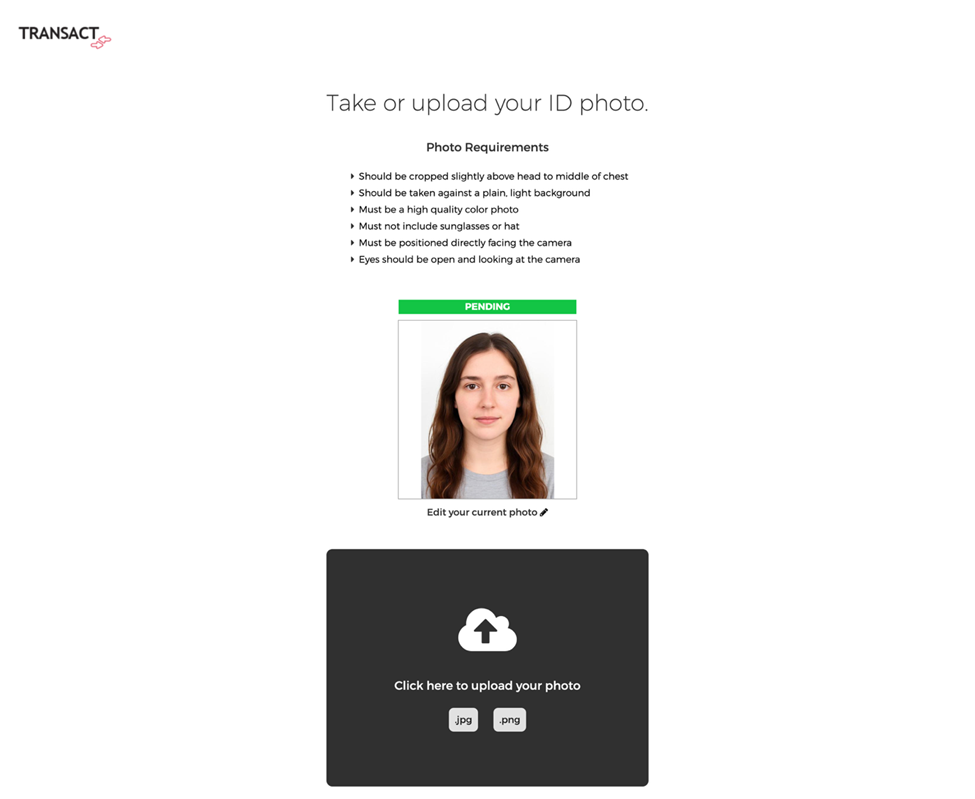
- If approved, it will denote a green badge; it is pending final approval, this is done by our public safety department, if the photo appears altered, photoshopped, or has filters it will be denied, and you will need to resubmit. If it follows all the above guidelines, it will be approved and delivered as noted below.
- You can also go back and change the photo by pressing “Change Photo” button
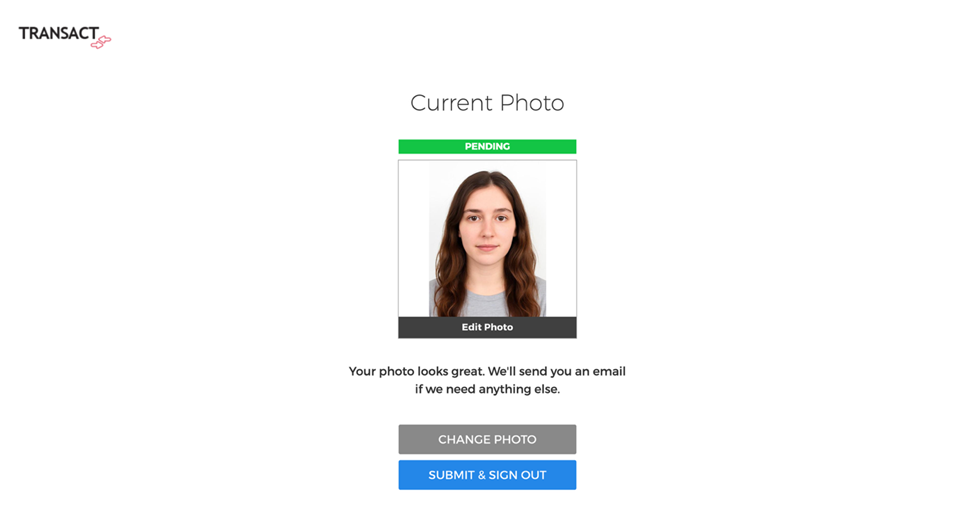
- Complete your photo submission by pressing the “Submit and Sign Out” button
Photos are reviewed during regular business hours. You will receive an email once your photo is approved or denied. If denied, upload a new photo promptly.
4. Pick Up Your 1Card
On-Campus first year students and transfers
- Pick up at the check-in desk on your move in day and scheduled time.
- If you miss your check-in, you may pick up your ID at Public Safety after hours. Public Safety locations for both campuses are listed below.
If you have completed all the steps above and are experiencing issues, fill out this form.
Remote Students
Remote students will receive their Fairleigh 1Card by mail. Contact your department for more information.
If you are having trouble uploading your photo or no longer have the invitation from Transact Mobile please fill out the form linked below: Insert mail to Sami or form here
All Other Students, Faculty, Staff, and Contractors. Also, replacement ID’s for lost or damaged cards.
Visit Public Safety, which are open 24/7, to take your ID photo and obtain your Fairleigh 1Card same day. You also can upload your photo using the email and link from Transact Mobile sent to your FDU.EDU email account.